Choosing between MailEnable vs SmarterMail matters when hosting email on a Windows SMTP VPS. Both support SMTP, IMAP, POP3, and webmail, but their licensing, collaboration tools, and administration features differ.
The best option depends on whether you need simple mail delivery or a complete business email platform.
What Is MailEnable?
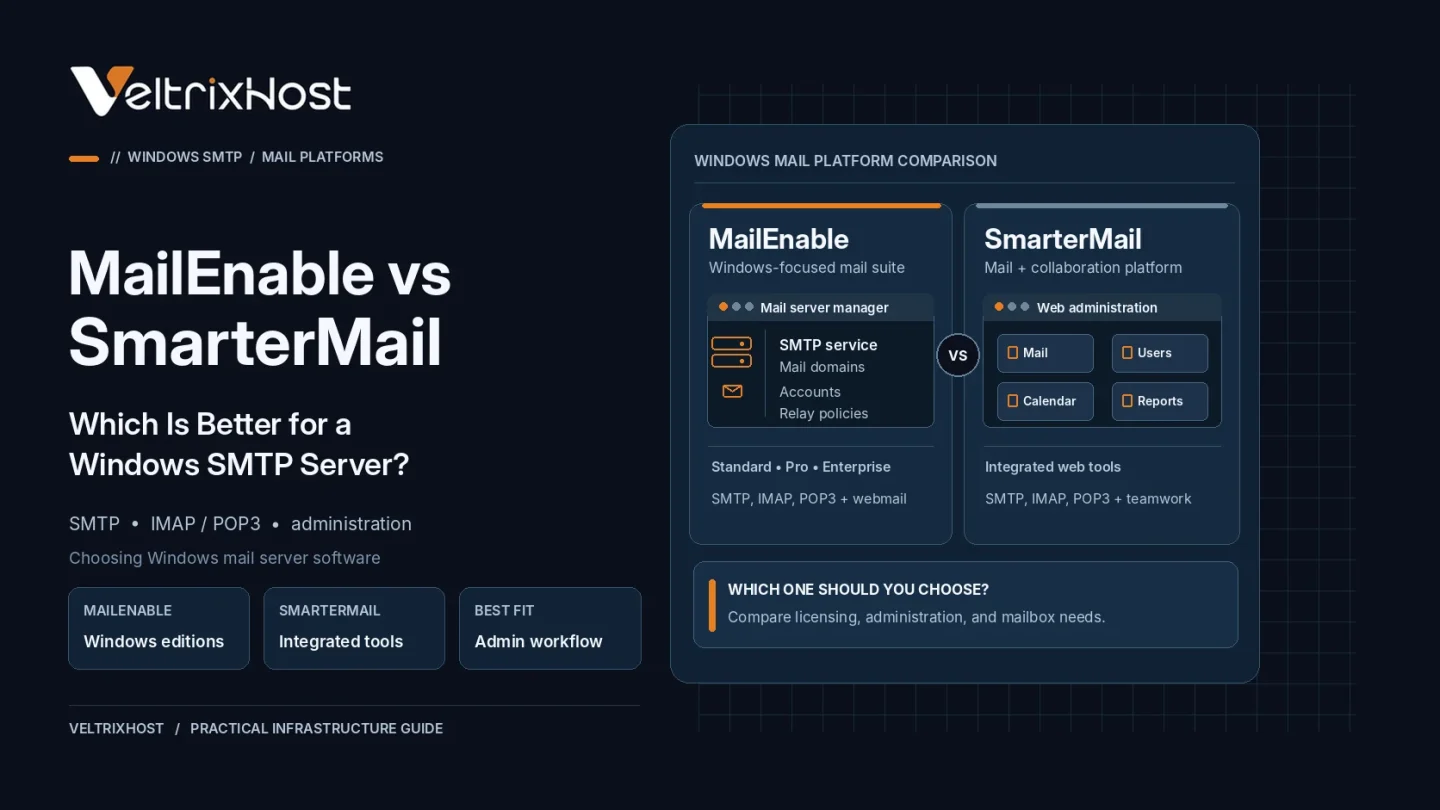
MailEnable is Windows mail-server software with SMTP delivery, mailbox management, and client access.
Its free Standard Edition provides essential mail services, including IMAP and webmail. Professional and Enterprise editions add capabilities for more demanding organizations, while Enterprise Premium offers additional Outlook integration.
MailEnable is attractive when you want a Windows-focused server with a straightforward starting point.
What Is SmarterMail?
SmarterMail combines SMTP, IMAP, POP3, webmail, administration, and collaboration tools. It also supports calendars, contacts, and team communication.
Although commonly associated with Windows hosting, current SmarterMail releases also support Linux and Docker.
The Free Edition supports one domain and up to ten mailboxes. Paid editions serve larger deployments, with optional features such as native Outlook connectivity in eligible editions.
MailEnable vs SmarterMail: Key Differences
| Feature | MailEnable | SmarterMail |
|---|---|---|
| Platforms | Windows | Windows, Linux, Docker |
| Free edition | Standard Edition | One domain, 10 mailboxes |
| Email protocols | SMTP, IMAP, POP3 | SMTP, IMAP, POP3 |
| Webmail | Available | Available |
| Collaboration | Edition-dependent | Extensive in selected editions |
| Outlook integration | Edition-dependent | Enterprise add-on or HA |
| Best suited for | Windows mail hosting | Collaboration-focused environments |
Which Is Easier to Manage?
MailEnable suits administrators familiar with Windows Server and traditional mail services. Its free edition lets you evaluate core functionality before purchasing advanced features.
SmarterMail may appeal to teams needing integrated mailboxes, shared calendars, reporting, and API-based administration.
Check the official SmarterMail edition comparison for licensing and feature differences.
Neither platform automatically wins on speed. Benchmark mailbox usage, queue processing, and concurrent connections using your actual hardware.
Which Is Better for SMTP Security?
Both require secure configuration before production deployment.
Important requirements include:
- TLS: Encrypt authenticated SMTP connections.
- Authentication: Require strong, unique credentials.
- Relay protection: Prevent unauthorized mail forwarding.
- DNS: Configure SPF, DKIM, DMARC, and PTR/rDNS.
- Monitoring: Review failed logins, queues, and delivery errors.
Neither MailEnable nor SmarterMail guarantees inbox placement. Sending reputation and recipient-provider policies still affect delivery.
Choosing a Windows SMTP VPS
VeltrixHost Windows SMTP VPS Hosting provides administrator and RDP access, outbound Port 25, dedicated IPv4, and PTR/rDNS controls.
Compare CPU, RAM, and storage against your chosen software’s requirements. Remember that software licenses, backups, and ongoing maintenance are separate considerations.
Final Recommendation
In the MailEnable vs SmarterMail comparison, choose MailEnable for straightforward Windows-focused SMTP and mailbox hosting.
Consider SmarterMail when integrated collaboration, advanced administration, and broader platform support matter.
Select the edition that matches your users, workload, and budget.
FAQs
Is MailEnable free?
Yes. MailEnable Standard Edition is free. Advanced editions require licensing.
Does SmarterMail work only on Windows?
No. Current versions support Windows, Linux, and Docker.
Which is better for transactional email?
Either can support SMTP delivery. Configuration, security, queue management, and sender reputation matter more than the software brand.