Choosing between IIS SMTP Server vs dedicated software affects how you send application notifications and manage Windows email hosting. Microsoft’s legacy SMTP feature can handle simple relaying on older supported Windows Server versions, while products such as MailEnable and SmarterMail provide broader mail-server capabilities.
The biggest consideration today is operating-system compatibility.
What Is IIS SMTP Server?
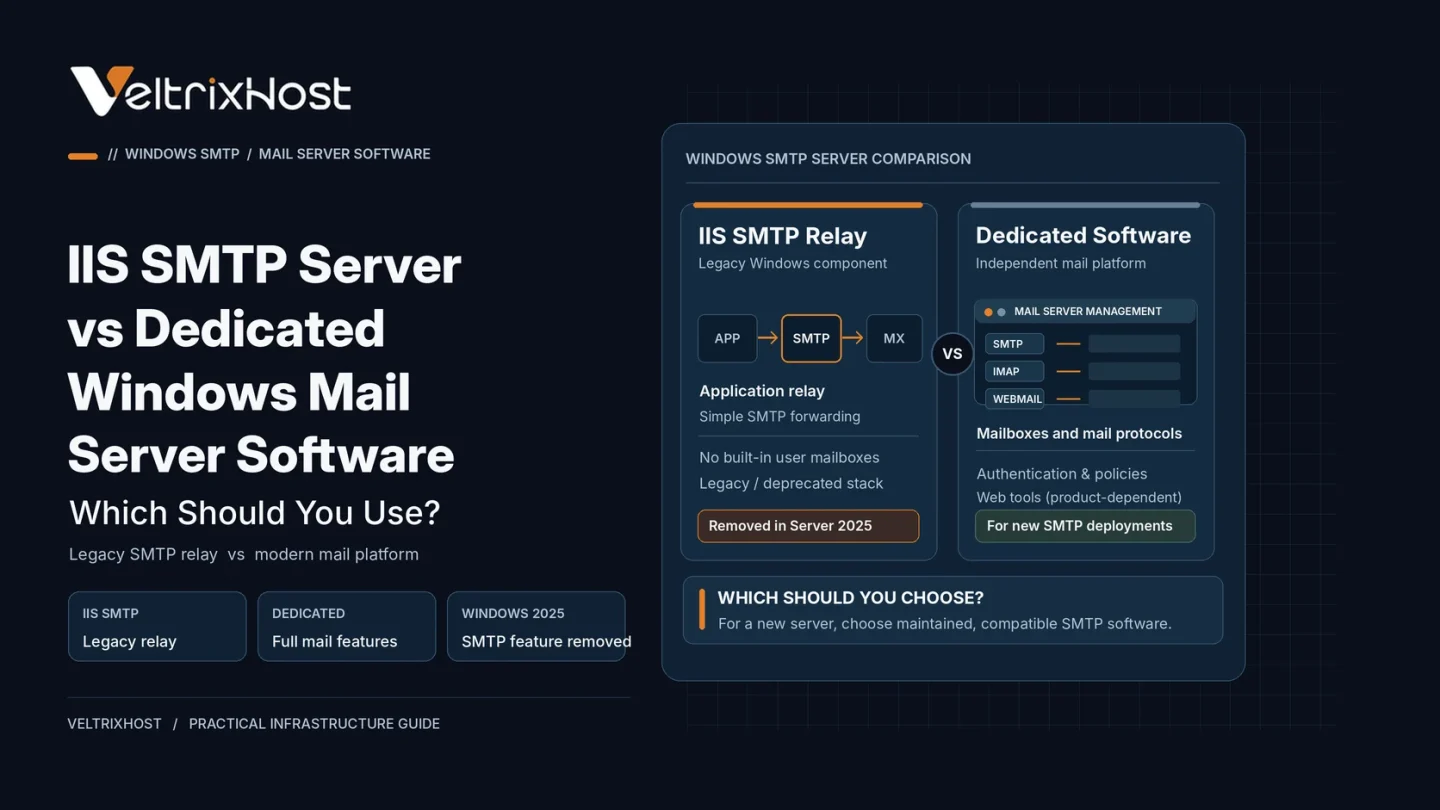
IIS SMTP Server refers to Microsoft’s older SMTP Server feature, historically administered with IIS 6 management tools. It can accept and forward SMTP messages, making it useful for some legacy application relays.
However, it is not a complete business email suite. It does not provide integrated IMAP mailboxes, modern webmail, or collaboration tools. Running it securely also requires careful relay restrictions and testing.
Is IIS SMTP Still Available on Windows Server 2025?
No. Microsoft removed the legacy SMTP Server feature from Windows Server 2025. It remains available on Windows Server 2022, but new deployments should avoid becoming dependent on a retired component.
Importantly, this does not mean Windows Server 2025 cannot send email. Compatible third-party software and external SMTP services continue to work.
Microsoft confirms the change in its Windows Server removed-features documentation.
IIS SMTP Server vs Dedicated Software: Key Differences
| Feature | Legacy IIS SMTP | Dedicated Mail Software |
|---|---|---|
| Main purpose | Basic SMTP relay | Full mail-server operations |
| Windows Server 2025 | Removed | Supported by compatible products |
| IMAP/POP3 mailboxes | Not included | Commonly included |
| Webmail | Not included | Available |
| Administration | Legacy tools | Product dashboards and tools |
| Licensing | Windows feature | Free or paid editions |
MailEnable or SmarterMail: What Do You Gain?
MailEnable includes SMTP, IMAP, POP3, and webmail in its Windows-focused editions. Some web components use the IIS web-server role, but that is not the removed legacy SMTP feature.
SmarterMail includes mailboxes, webmail, reporting, and collaboration features. Its own web server means IIS is not required for its interface.
Both products have edition-specific limits and licensing. Check the exact feature list before purchasing.
Which Setup Fits Your Workload?
Legacy application relay: Existing Windows Server 2022 systems may continue using IIS SMTP temporarily if security requirements are met.
New transactional email server: Select maintained mail software or an authenticated SMTP provider, with reliable queues and monitoring.
Employee inboxes: Choose a full platform with mailbox storage, IMAP access, backups, and account administration.
For any setup, configure TLS, authentication, SPF, DKIM, DMARC, and PTR/rDNS. Prevent unauthorized relaying and monitor delivery failures.
Choosing a Windows SMTP VPS
VeltrixHost Windows SMTP VPS Hosting offers administrator/RDP access, outbound Port 25, dedicated IPv4, and PTR/rDNS management. Verify the Windows image and your chosen software’s resource requirements before deployment.
Final Recommendation
In the IIS SMTP Server vs dedicated software comparison, favor actively maintained Windows mail software for new deployments. Keep IIS SMTP only where a legacy application genuinely requires it and a migration plan exists.
FAQs
Can IIS SMTP Server run on Windows Server 2025?
No. Microsoft’s legacy SMTP Server feature was removed.
Does MailEnable require the old IIS SMTP service?
No. Its mail engine is separate, although webmail and web administration may require the IIS web-server role.
Is dedicated software guaranteed to improve deliverability?
No. Correct DNS, authentication, IP reputation, and sending practices still matter.