Choosing between Layer 4 vs Layer 7 load balancing affects how your hosting infrastructure distributes traffic. Both approaches can improve scalability and availability, but they inspect different information and support different routing decisions.
The best choice depends on your application protocol, performance needs, and management requirements.
What Is Layer 4 Load Balancing?
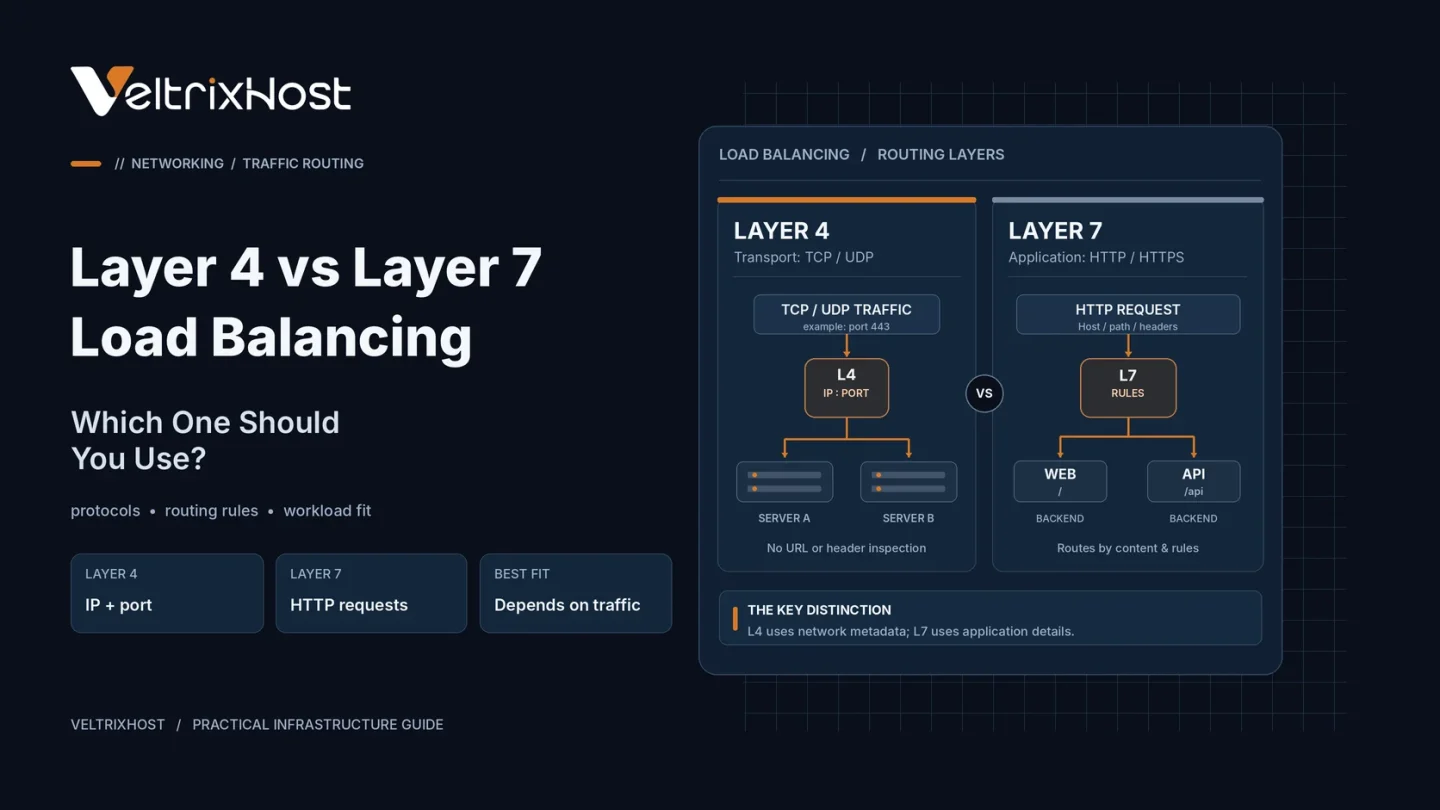
Layer 4 operates at the transport layer, handling TCP or UDP traffic using network information such as IP addresses and ports.
For example, a Layer 4 balancer can distribute incoming database connections across suitable backend servers without examining HTTP URLs.
Because it does not need to interpret application content, Layer 4 can offer efficient connection handling. However, it cannot route requests based on an HTTP path or cookie without additional application-layer processing.
What Is Layer 7 Load Balancing?
Layer 7 operates at the application layer and understands protocols such as HTTP and HTTPS.
It can inspect request paths, hostnames, headers, or cookies to select a backend. For instance, requests to /api/ can reach application servers while /images/ requests use another pool.
Layer 7 can also support HTTP-specific features such as header manipulation, redirects, and application-aware health checks.
Inspecting encrypted HTTPS content generally requires TLS termination or another arrangement that exposes the HTTP request to the balancer.
Layer 4 vs Layer 7: Key Differences
| Feature | Layer 4 | Layer 7 |
|---|---|---|
| Routing information | IP, port, connection | HTTP path, host, headers |
| Common traffic | TCP and UDP | HTTP and HTTPS |
| Content inspection | No HTTP awareness | Application-aware |
| Processing overhead | Often lower | Potentially higher |
| Typical uses | Databases, game services | Websites, APIs, microservices |
Which Is Better for Hosting Performance?
Layer 4 may be preferable for high-volume TCP/UDP traffic when content-based routing is unnecessary.
Layer 7 is useful when several applications share an entry point or when requests need different treatment based on their content.
Neither layer automatically makes a website faster. Network latency, backend capacity, TLS handling, and configuration determine results.
The official HAProxy Layer 4 and Layer 7 guide explains both operating modes.
When Should You Choose Each Layer?
Choose Layer 4 for non-HTTP services, TCP passthrough, or straightforward connection distribution.
Choose Layer 7 for web applications that need URL-based routing, HTTP policies, or more detailed request handling.
Some deployments combine them: a Layer 4 entry point forwards connections to Layer 7 proxies that route individual web requests.
Hosting Requirements to Check
Before deployment, evaluate CPU and RAM, expected connections, bandwidth, TLS requirements, health checks, and how applications maintain sessions.
A self-managed VeltrixHost Linux VPS offers root access for configuring tools such as NGINX or HAProxy. Size the VPS for peak traffic and test failover before production use.
Final Recommendation
For Layer 4 vs Layer 7 load balancing, choose Layer 4 when transport-level distribution is sufficient. Use Layer 7 when routing depends on HTTP request details.
For either option, remove single points of failure and verify backend health monitoring.
FAQs
Is Layer 7 always slower than Layer 4?
No. Layer 7 adds processing, but actual performance depends on the implementation and workload.
Can NGINX handle both layers?
Yes. NGINX supports HTTP load balancing and TCP/UDP proxying through its stream module.
Which layer is best for game servers?
Layer 4 is often appropriate for TCP or UDP game traffic, subject to the game’s protocol and session requirements.