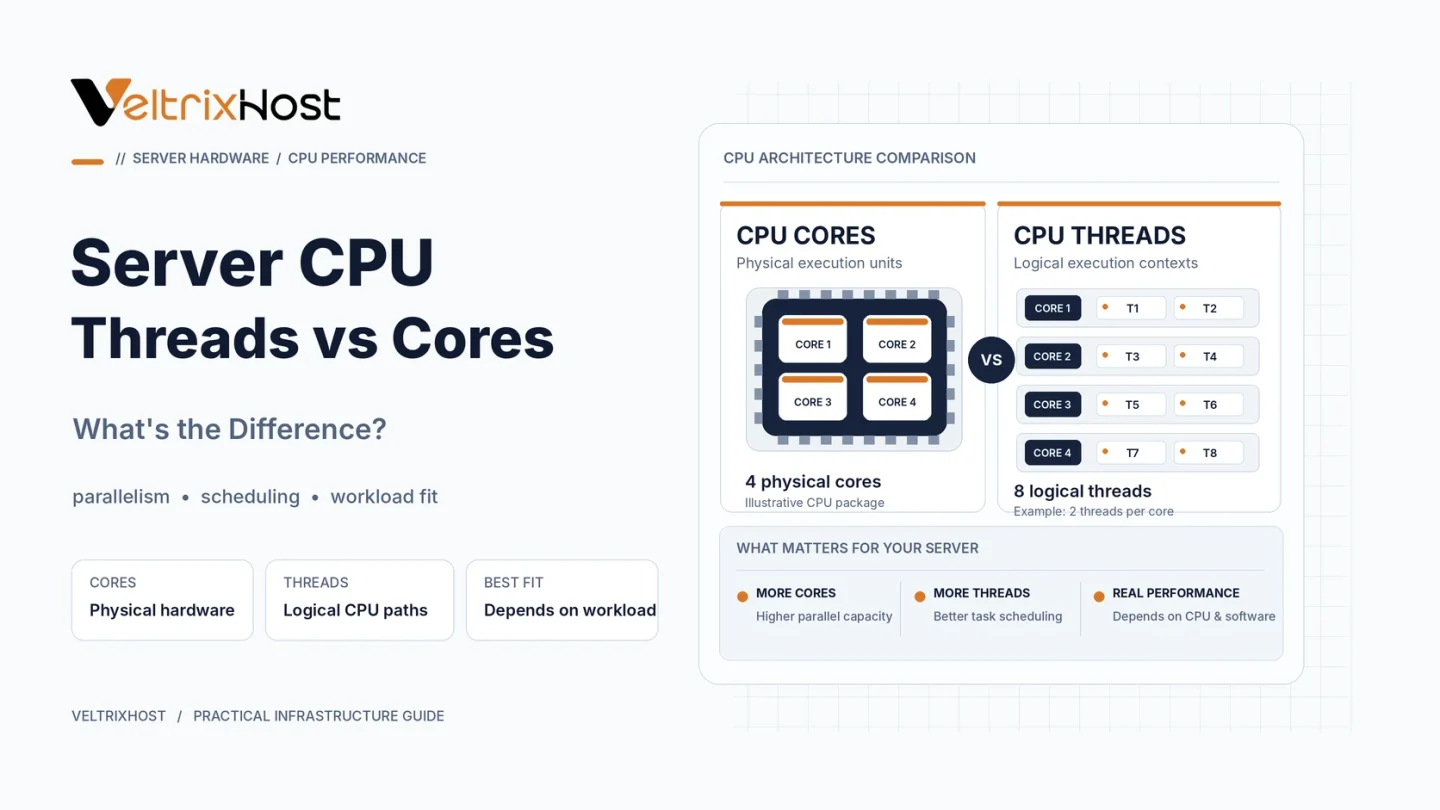
Understanding server CPU threads vs cores helps you compare dedicated servers without confusing advertised thread counts with physical processing power. A 16-core, 32-thread CPU may handle more concurrent work than one without simultaneous multithreading, but 32 threads do not equal 32 physical cores.
The important question is how your applications use processor resources.
What Are CPU Cores?
A CPU core is a physical processing unit capable of executing instructions. Multiple cores let a server run independent tasks in parallel.
For example, additional cores can help busy web servers, virtual machines, databases, and batch-processing applications handle multiple demanding jobs.
However, a single-threaded application may gain little from adding more cores.
What Are CPU Threads?
A software thread is a sequence of instructions an application can execute. Processor specifications usually use “threads” to describe logical processors exposed to the operating system.
With simultaneous multithreading (SMT), one physical core can execute instructions from two software threads while sharing execution resources. Intel calls this Hyper-Threading on supported processors.
For instance, an eight-core CPU with two-way SMT exposes 16 logical processors. Not every CPU supports SMT, and some designs expose one thread per core.
Server CPU Threads vs Cores: Key Differences
| Feature | Physical Cores | Logical Threads |
|---|---|---|
| Represents | Actual execution cores | Scheduling contexts |
| Resources | Dedicated core hardware | Shares resources with sibling thread |
| Main benefit | More parallel processing capacity | Better core utilization |
| Performance increase | Workload-dependent | Usually less than adding cores |
| Best suited for | CPU-heavy parallel tasks | Concurrent or mixed workloads |
Do More Threads Mean Better Performance?
Not necessarily. SMT helps use execution units that would otherwise sit idle, such as during some memory stalls.
However, sibling threads compete for portions of the same core. Performance gains depend on processor architecture, software, and resource contention.
Intel explains these differences in its official guide to cores, Hyper-Threading, and vCPUs.
When comparing processors, prioritize benchmarks from your actual workload over thread counts alone.
Which Matters More for Server Workloads?
Game servers: Strong per-core performance often matters more than a large logical-thread count.
Web hosting: More physical cores can handle parallel application requests. SMT may improve throughput under suitable loads.
Virtualization: Multiple cores and threads help schedule VMs, but logical threads are not equivalent to dedicated cores.
Databases: Concurrent queries can use parallel capacity, while individual query latency may depend on stronger cores and memory performance.
How to Check CPU Cores and Threads
On Linux, run:
lscpu
Review the CPU(s), Core(s) per socket, Socket(s), and Thread(s) per core fields.
For buying decisions, compare processor generation, core count, RAM, storage, and software licensing. Explore VeltrixHost Dedicated Servers and verify the exact CPU model before ordering.
Final Recommendation
For server CPU threads vs cores, prioritize physical cores for sustained CPU-heavy work. Treat additional logical threads as useful throughput capacity, not a substitute for extra cores.
Choose hardware using workload benchmarks, per-core performance, and overall system specifications.
FAQs
Are 16 threads the same as 16 cores?
No. A processor with eight cores and two-way SMT can expose 16 threads while still having eight physical cores.
Does Hyper-Threading double CPU speed?
No. It can improve utilization, but performance does not double automatically.
Are vCPUs the same as physical cores?
Not necessarily. A vCPU is a virtual scheduling resource and may share underlying processor capacity.
Should I disable SMT on a server?
Usually not without testing. Certain latency-sensitive workloads may benefit, but others lose throughput.