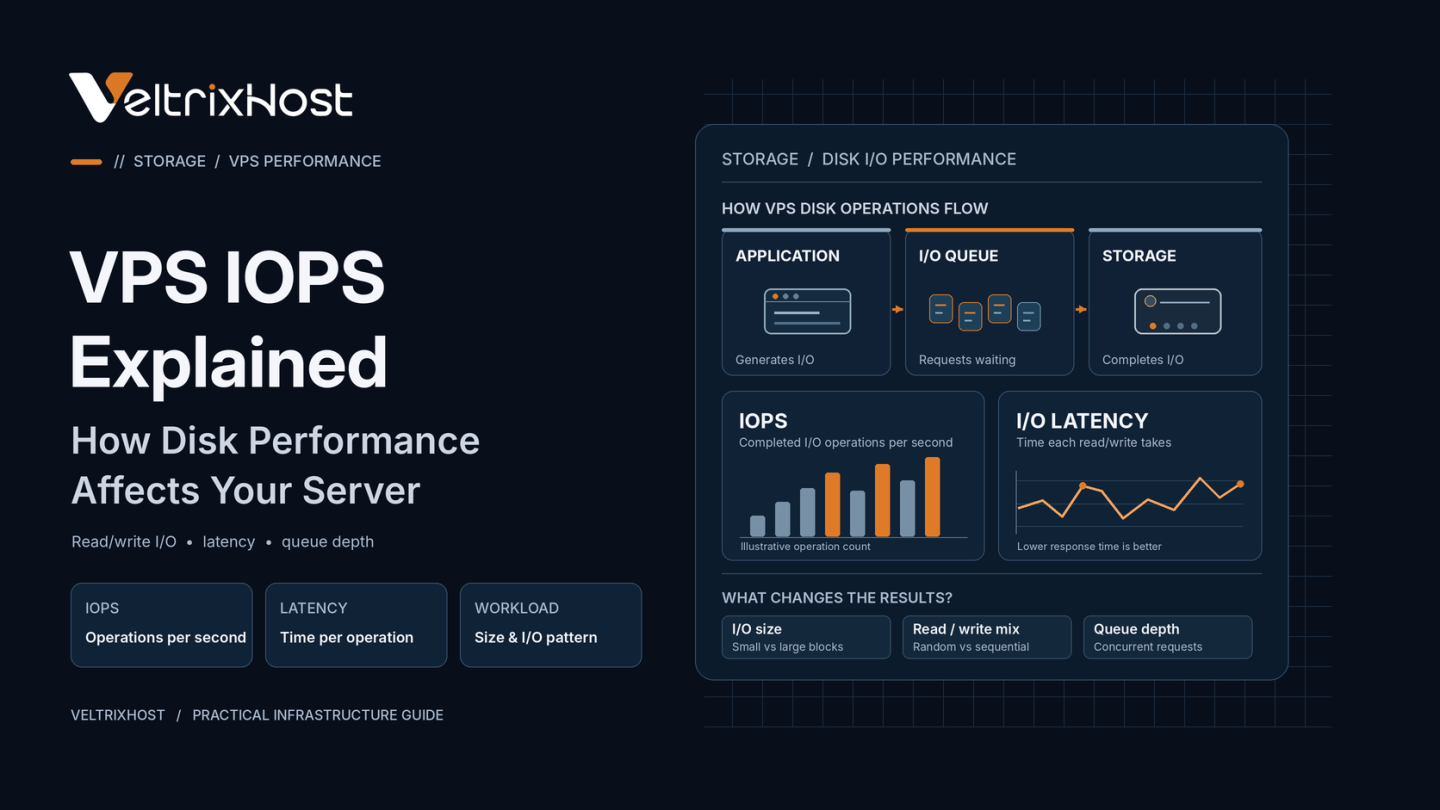
VPS IOPS measures how many storage read and write operations a virtual server can complete each second. When disk performance is insufficient, websites may respond slowly even when CPU and RAM usage seem normal.
Understanding IOPS helps identify storage bottlenecks and compare VPS plans based on real workloads rather than advertised drive speeds.
What Is VPS IOPS?
IOPS stands for Input/Output Operations Per Second. It counts completed disk operations, such as reading database records or writing application logs.
For example, 5,000 IOPS means a storage system completes 5,000 operations per second under specific conditions.
However, results vary with request size, read/write patterns, queue depth, and caching.
Therefore, two VPS providers advertising identical IOPS may deliver different application performance.
VPS IOPS vs Throughput vs Latency
These three measurements describe different aspects of storage performance.
| Metric | What It Measures | Best For |
|---|---|---|
| IOPS | Disk operations per second | Databases and random I/O |
| Throughput | Data transferred per second | Large files and backups |
| Latency | Time per disk operation | Responsive applications |
For example, 5,000 operations of 4 KiB each transfer approximately 19.5 MiB per second.
Larger operations can transfer more data at the same IOPS.
The official Amazon EBS I/O characteristics guide explains how IOPS, operation size, and latency interact.
How Does Disk Performance Affect Websites?
WordPress and ecommerce websites frequently read database records, update sessions, and write logs.
If these requests wait on storage, page generation can slow down.
Database-heavy applications and mail servers can experience similar problems. Meanwhile, large backups and video transfers often depend more on sustained throughput.
Therefore, the most important storage metric depends on your workload.
Does NVMe Always Deliver Better IOPS?
NVMe drives generally provide higher IOPS potential and lower latency than traditional SATA SSDs.
However, actual VPS performance also depends on virtualization, storage contention, provider limits, and application configuration.
A properly configured SSD VPS may outperform a poorly provisioned NVMe VPS.
Storage technology alone does not guarantee specific performance.
How to Check VPS Disk Performance
Linux provides useful tools for identifying storage bottlenecks.
Run:
iostat -xz 1
This displays disk activity, utilization, and latency-related statistics.
You can also use fio to benchmark random reads, writes, IOPS, and throughput with different block sizes.
However, intensive benchmarking can affect production applications. Test during maintenance periods or on separate environments.
Which VPS Storage Should You Choose?
Lightweight websites often perform well with standard SSD storage.
Busy databases, transaction-heavy applications, and multiple active websites may benefit from NVMe’s lower latency and higher IOPS potential.
Compare specifications through VeltrixHost Linux VPS Hosting, which offers SSD or NVMe storage depending on the selected plan.
Before upgrading, monitor actual storage latency and database response times.
Final Recommendation
VPS IOPS matters most when applications perform frequent, small disk operations.
For large transfers, prioritize throughput. For interactive applications, monitor latency.
Choose VPS storage based on measured performance requirements rather than advertised IOPS alone.
FAQs
How Many IOPS Does a VPS Need?
There is no universal target. Requirements depend on database activity, traffic, and application behavior.
Is Higher IOPS Always Better?
Not necessarily. CPU, RAM, caching, and storage latency also affect performance.
Can Low IOPS Slow WordPress?
Yes. Disk-bound database operations can delay dynamic page generation.
Does NVMe Guarantee High IOPS?
No. Virtualization, shared storage, and provider limits influence actual performance.