Choosing between Ubuntu vs AlmaLinux for VPS hosting depends on your applications, technical experience, and long-term maintenance requirements. Both are reliable Linux distributions suitable for websites, databases, development environments, and production servers.
However, their package managers, software ecosystems, and support schedules differ. Understanding these differences helps you choose the right operating system before deploying your VPS.
What Is Ubuntu?
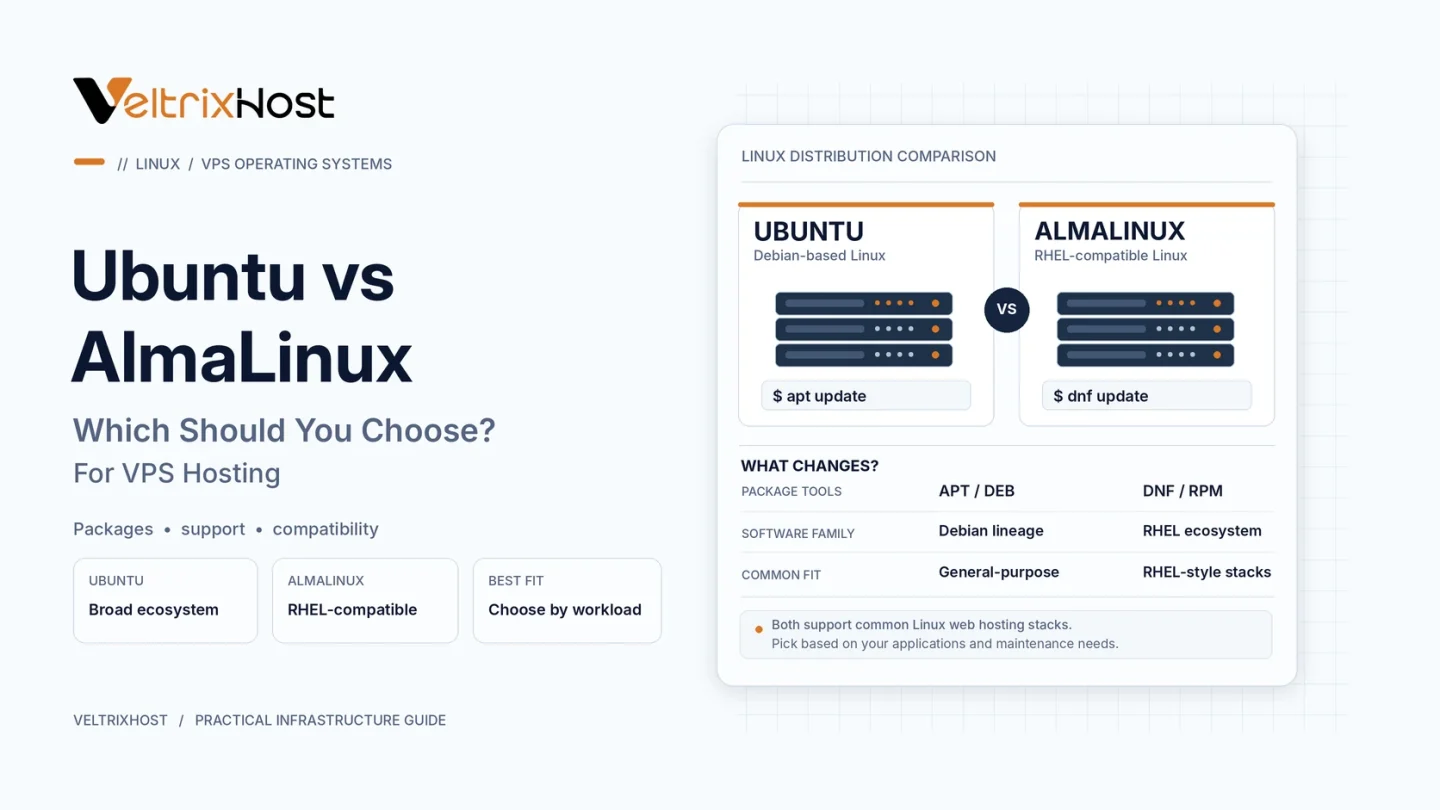
Ubuntu is a Debian-based Linux distribution developed by Canonical. It uses the APT package manager and DEB software packages.
Ubuntu is popular among developers because of its extensive documentation, community support, and compatibility with modern development tools.
Its Long Term Support (LTS) releases receive five years of standard security maintenance, with extended coverage available through Ubuntu Pro.
Ubuntu is especially convenient for Docker deployments, development environments, and general-purpose web applications.
What Is AlmaLinux?
AlmaLinux is a community-governed Linux distribution designed to maintain compatibility with Red Hat Enterprise Linux (RHEL).
It uses RPM packages and the DNF package manager.
AlmaLinux appeals to hosting administrators who prefer enterprise Linux conventions, predictable maintenance schedules, and RHEL-compatible software.
It is also relevant to control-panel hosting environments, although compatibility depends on the panel and operating-system version.
Ubuntu vs AlmaLinux: Key Differences
| Feature | Ubuntu | AlmaLinux |
|---|---|---|
| Linux family | Debian-based | RHEL-compatible |
| Package manager | APT | DNF |
| Package format | DEB | RPM |
| Release approach | Regular and LTS releases | Enterprise-focused releases |
| Typical users | Developers, general-purpose hosting | Enterprise and hosting administrators |
| Control panels | Version-dependent | Version-dependent |
Neither distribution automatically delivers better VPS performance or stronger security.
Which Is Better for VPS Performance?
Ubuntu and AlmaLinux can both run NGINX, Apache, PHP, MySQL, and other common server applications efficiently.
Real-world performance depends more on CPU allocation, RAM, storage speed, caching, and application configuration than the distribution name.
Therefore, benchmark your actual workload instead of assuming one operating system is always faster.
Which Offers Better Security and Updates?
Both distributions provide security updates for supported versions.
Ubuntu LTS releases offer five years of standard security maintenance. AlmaLinux generally follows longer enterprise-style major-release lifecycles.
For example, AlmaLinux 9 is scheduled for security support until May 2032.
Review the official AlmaLinux documentation for current release and support information.
Regardless of your choice, configure SSH securely, enable a firewall, and apply updates regularly.
Which Should You Choose for Your VPS?
Choose Ubuntu if you prefer APT, extensive tutorials, and a familiar environment for development or application deployment.
Choose AlmaLinux if you need RHEL-compatible applications, enterprise Linux conventions, or a supported hosting-control-panel configuration.
Before ordering, confirm the required operating-system image and software compatibility.
You can explore server resources through VeltrixHost Linux VPS Hosting.
Final Recommendation
In the Ubuntu vs AlmaLinux comparison, neither operating system wins every scenario.
Ubuntu is a practical default for many developers, while AlmaLinux is an excellent choice for RHEL-compatible hosting environments.
Select the distribution that matches your software requirements, administration experience, and maintenance plans.
FAQs
Is Ubuntu easier than AlmaLinux?
Ubuntu may feel easier for beginners because of its extensive tutorials and familiar APT commands.
Is AlmaLinux good for WordPress hosting?
Yes. AlmaLinux can run WordPress with compatible web-server, PHP, and database packages.
Which is better for cPanel hosting?
Check cPanel’s supported operating-system versions before choosing either distribution.
Can I change my VPS operating system later?
Usually, yes, through reinstallation or migration. Back up important data before making changes.