Choosing between RAID 1 vs RAID 10 is an important decision when configuring storage for a dedicated server. Both RAID levels provide disk redundancy, but they differ in performance, drive requirements, and overall cost.
Whether you host websites, databases, or virtual machines, understanding these differences helps you select a storage configuration that matches your workload.
What Is RAID 1?
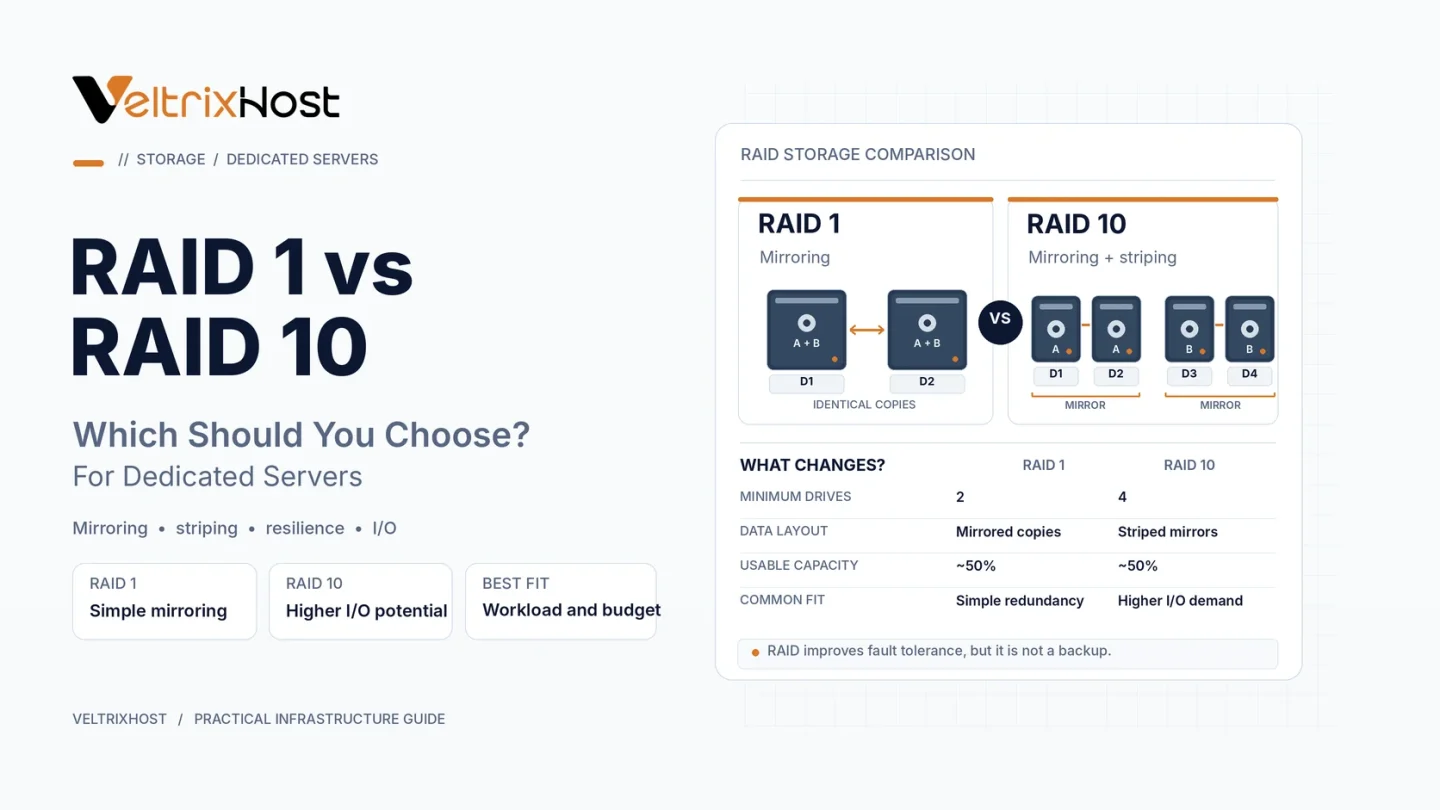
RAID 1 uses disk mirroring to store identical data on two or more drives.
In a typical two-drive configuration, both disks contain the same information. If one fails, the remaining drive can continue serving data.
RAID 1 is useful for operating systems, business websites, and applications requiring straightforward storage redundancy.
However, mirroring reduces usable capacity. Two 1TB drives normally provide approximately 1TB of usable storage before filesystem overhead.
What Is RAID 10?
RAID 10 combines RAID 1 mirroring with RAID 0 striping.
It normally requires at least four drives, organized into mirrored pairs. Data is then distributed across those pairs to improve potential throughput and parallel disk operations.
For example, four 1TB drives in RAID 10 provide approximately 2TB of usable capacity.
RAID 10 is particularly useful for busy databases, virtualization platforms, and applications with intensive storage activity.
RAID 1 vs RAID 10: Key Differences
| Feature | RAID 1 | RAID 10 |
|---|---|---|
| Minimum drives | Typically 2 | Typically 4 |
| Storage method | Mirroring | Mirroring + striping |
| Usable capacity | 50% with 2 drives | Typically 50% |
| Read performance | Can improve | Greater scaling potential |
| Write performance | Mirror-dependent | Higher potential |
| Drive redundancy | Survives one failure in a 2-drive mirror | Depends on failed pairs |
| Cost | Usually lower | Usually higher |
Which RAID Level Offers Better Performance?
RAID 10 generally offers higher performance potential when multiple drives handle simultaneous read and write operations.
This can benefit database transactions, virtual machine storage, and other demanding workloads.
However, performance also depends on drive technology, controller configuration, software RAID implementation, and workload patterns.
With modern NVMe storage, benchmark actual disk latency and IOPS before assuming RAID 10 is necessary.
Which RAID Configuration Is Safer?
Both configurations can survive certain disk failures.
A two-drive RAID 1 array typically survives one failed disk. RAID 10 can survive multiple failures when they occur in different mirrored pairs.
However, losing both drives from the same RAID 10 mirror pair can destroy the array.
For additional technical information, review IBM’s RAID documentation.
Is RAID a Replacement for Backups?
No. RAID protects against certain drive failures, not accidental deletions, ransomware, corruption, or complete server loss.
Therefore, maintain independent backups and test restoration regularly.
RAID redundancy and backups serve different purposes.
Which Should You Choose for a Dedicated Server?
Choose RAID 1 for straightforward hosting workloads, smaller servers, and operating-system storage.
Choose RAID 10 when you need greater disk throughput for databases, virtualization, or multiple busy applications.
Before purchasing, review available disk configurations through VeltrixHost Dedicated Servers.
Confirm drive count, RAID support, and storage options before ordering.
Final Recommendation
In the RAID 1 vs RAID 10 comparison, RAID 1 is often sufficient for simpler workloads, while RAID 10 offers greater performance potential for demanding applications.
Select your configuration based on disk activity, hardware budget, and recovery requirements.
FAQs
Is RAID 10 faster than RAID 1?
Generally, RAID 10 offers greater throughput potential across multiple drives, particularly under demanding workloads.
Does RAID 10 require four drives?
A conventional RAID 10 configuration typically requires at least four drives.
Is RAID 1 enough for a dedicated server?
Yes, for many websites and applications that do not require extensive disk throughput.
Does RAID 10 prevent data loss?
It protects against certain drive failures but cannot replace independent backups.