Choosing a GPU server for video transcoding can significantly improve processing speed for streaming platforms, media libraries, and video production workflows. However, hardware acceleration is not necessary for every project.
The right choice depends on your video formats, concurrent streams, processing requirements, and server budget.
What Is GPU Video Transcoding?
Video transcoding converts media from one format, codec, resolution, or bitrate into another.
For example, a streaming platform may convert one 4K video into several 1080p and 720p versions for different devices.
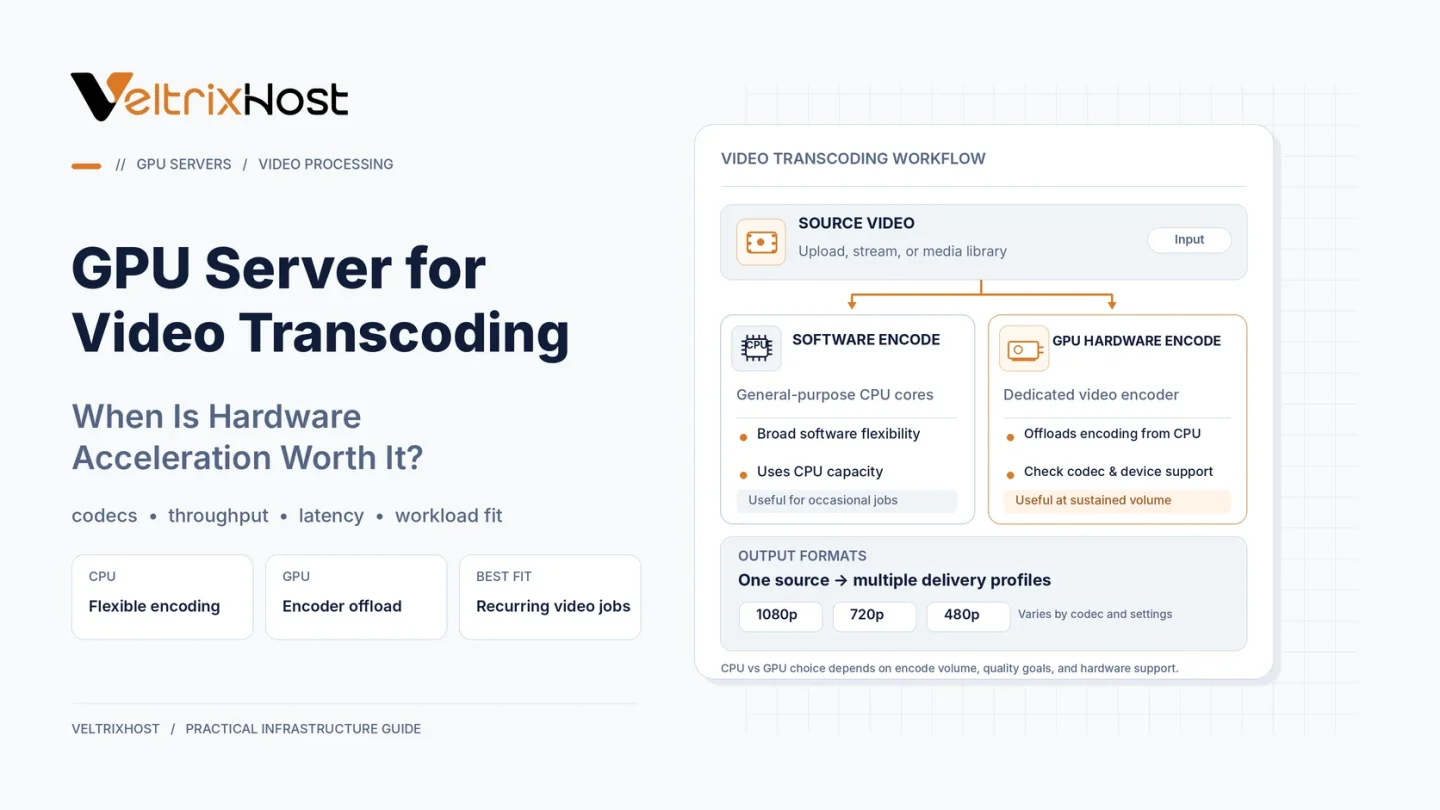
Traditionally, servers perform these operations using CPUs. However, compatible GPUs include dedicated video-processing engines that accelerate encoding and decoding.
NVIDIA uses NVENC for encoding and NVDEC for decoding, while Intel offers Quick Sync Video on supported hardware.
CPU vs GPU Video Transcoding
Both CPUs and GPUs can process video, but their advantages differ.
| Feature | CPU Transcoding | GPU Transcoding |
|---|---|---|
| Processing | Software encoding | Hardware acceleration |
| Concurrent streams | CPU-dependent | GPU engine-dependent |
| Video quality | Flexible encoding options | Codec and preset-dependent |
| Hardware cost | No separate GPU required | Additional GPU investment |
| Best suited for | Small or specialized jobs | High-volume processing |
GPU acceleration can improve throughput, but software encoding may deliver better compression efficiency at certain quality settings.
When Is a GPU Server Worth It?
1. Multiple Simultaneous Streams
Streaming platforms often generate several resolutions for different viewers.
A suitable GPU can process multiple streams while reducing CPU demand. However, supported session counts depend on the accelerator and software.
2. Large Video Libraries
Media platforms regularly convert uploaded videos into standardized formats.
GPU acceleration can reduce processing queues when handling substantial libraries or frequent uploads.
3. Live Streaming
Live transcoding requires each output to remain ahead of playback deadlines.
Hardware encoding can help maintain real-time performance when a CPU-only configuration struggles.
4. High-Resolution Processing
Converting 4K or 8K content requires significant processing resources.
However, performance depends on codec support, filtering, resolution, and GPU generation.
What Specifications Matter Most?
Before selecting a GPU server, check:
- Codec support: Confirm H.264, HEVC, or AV1 encoding requirements.
- Video engines: Compare available encoder and decoder capabilities.
- CPU and RAM: Provide capacity for audio, containers, and processing tasks.
- Storage: Use SSD or NVMe for demanding media workflows.
- Networking: Match port speed and transfer allowances to delivery needs.
Importantly, a GPU with more VRAM is not automatically better at video encoding.
How to Test Hardware Acceleration
FFmpeg supports hardware-accelerated transcoding through compatible GPU drivers and encoders.
For example, NVIDIA systems may support h264_nvenc or hevc_nvenc.
Review the official NVIDIA FFmpeg acceleration guide before configuring production workloads.
Benchmark encoding speed, output quality, GPU utilization, and total processing cost against your existing CPU setup.
Choosing a GPU Dedicated Server
For sustained media workloads, compare VeltrixHost GPU Dedicated Servers, including available NVIDIA accelerators, CPU resources, storage, and networking.
Confirm the exact GPU’s video encoding capabilities before ordering.
Final Recommendation
A GPU server for video transcoding makes sense when frequent conversions, concurrent streams, or live-processing deadlines justify the additional hardware cost.
For occasional conversions, CPU transcoding may remain more economical.
Choose based on measured performance and required output quality.
FAQs
Is GPU transcoding faster than CPU transcoding?
Often, especially for supported codecs and concurrent workloads. Results depend on hardware and settings.
Does GPU transcoding reduce video quality?
Not necessarily, but compression efficiency and quality can differ between hardware and software encoders.
Is 24GB VRAM necessary for transcoding?
Not always. Codec engines and concurrent workload requirements often matter more than VRAM capacity.
Can FFmpeg use NVIDIA GPUs?
Yes. Compatible NVIDIA GPUs support hardware encoding through FFmpeg’s NVENC encoders.