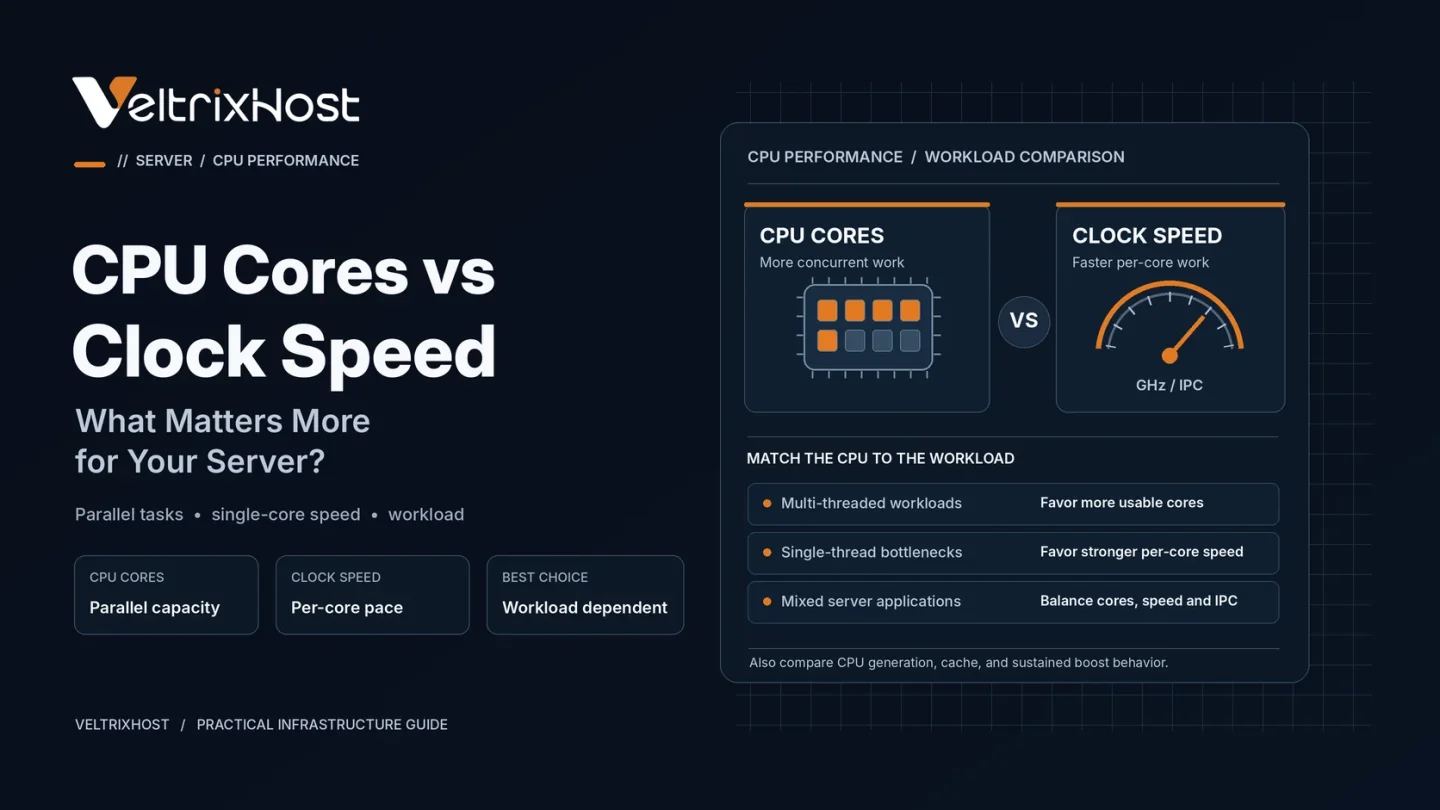
Choosing between CPU cores vs clock speed can be confusing when comparing VPS hosting and dedicated servers. A processor with more cores can handle additional tasks, while a higher clock speed can help individual tasks finish faster.
However, neither specification guarantees better performance. The right choice depends on your applications, traffic patterns, and server workload.
What Are CPU Cores?
CPU cores are processing units that execute instructions. A processor with multiple cores can run several threads simultaneously, provided the software supports parallel execution.
More CPU cores can benefit servers handling:
- Multiple websites and applications
- Concurrent web requests
- Virtual machines and containers
- Video encoding and background processing
- Parallel database operations
However, applications that use only one processing thread may see little improvement from additional cores.
What Is CPU Clock Speed?
Clock speed measures how many processor cycles occur per second. It is typically expressed in gigahertz (GHz).
For example, a 3.5GHz processor runs approximately 3.5 billion clock cycles per second.
Higher frequency can improve performance for individual processing tasks, particularly within the same CPU architecture.
However, CPU architecture, instructions per cycle (IPC), cache size, and power limits also matter.
Intel’s official CPU clock speed guide explains why newer processors may outperform older models despite having lower frequencies.
CPU Cores vs Clock Speed: Key Differences
| Feature | More CPU Cores | Higher Clock Speed |
|---|---|---|
| Main advantage | Parallel processing | Faster individual threads |
| Best workloads | Concurrent tasks | Single-threaded tasks |
| Web hosting | Multiple busy sites | CPU-heavy page generation |
| Databases | Parallel queries | Individual query processing |
| Virtualization | Multiple virtual machines | Faster per-thread execution |
| Main limitation | Software scalability | Sustained frequency limits |
Which Matters More for Web Hosting?
For busy websites handling many simultaneous requests, additional CPU cores can improve throughput.
However, higher single-core performance may help applications with expensive PHP execution, complex calculations, or limited parallelism.
Database servers may benefit from both. Multiple cores support concurrent queries, while faster cores can reduce processing time for individual CPU-intensive queries.
Therefore, choosing CPU resources based on actual workload behaviour is more useful than relying on core count alone.
What About vCPU Cores in VPS Hosting?
A VPS commonly uses virtual CPUs (vCPUs), which represent scheduled processing resources rather than necessarily dedicated physical CPU cores.
Performance depends on the host processor, virtualization configuration, CPU allocation, and contention from other virtual machines.
For example, four vCPUs do not automatically outperform two vCPUs running on faster or less heavily loaded hardware.
When comparing VeltrixHost Linux VPS hosting, review allocated vCores alongside RAM, storage, networking, and your application’s requirements.
How to Choose the Right Server CPU
Start by identifying whether your workload is primarily single-threaded or parallel.
Use monitoring tools such as top, htop, or mpstat to inspect CPU utilization. Also check application response times and sustained performance during peak traffic.
If one thread becomes the bottleneck, prioritize stronger per-core performance. If several cores remain consistently busy, additional processing capacity may help.
Final Recommendation
In the CPU cores vs clock speed comparison, neither option wins universally.
Choose more cores for parallel workloads and multiple active services. Prioritize strong per-core performance for latency-sensitive or lightly threaded applications.
For most production servers, a balanced CPU with modern architecture and sufficient cores offers the most practical starting point.
FAQs
Are more CPU cores better for hosting?
They help when multiple tasks can run simultaneously. However, single-threaded applications may benefit more from faster individual cores.
Is higher GHz always better?
No. Processor architecture, cache, IPC, and sustained operating frequency also affect performance.
How many CPU cores does a VPS need?
Small websites may start with one or two vCPUs. Busy applications may require four or more, depending on actual usage.
Does clock speed affect server response time?
Yes, especially for CPU-bound tasks. However, database delays, storage performance, networking, and application optimization also influence response times.