Choosing a dedicated server for game hosting requires more than comparing CPU cores and RAM. Multiplayer games depend on consistent processing, low network latency, reliable storage, and protection against interruptions.
Whether you’re hosting Minecraft, Rust, ARK, or competitive multiplayer sessions, the right hardware depends on player count, game mechanics, mods, and server configuration.
Here are the specifications that actually matter.
1. CPU Performance: Clock Speed vs Cores
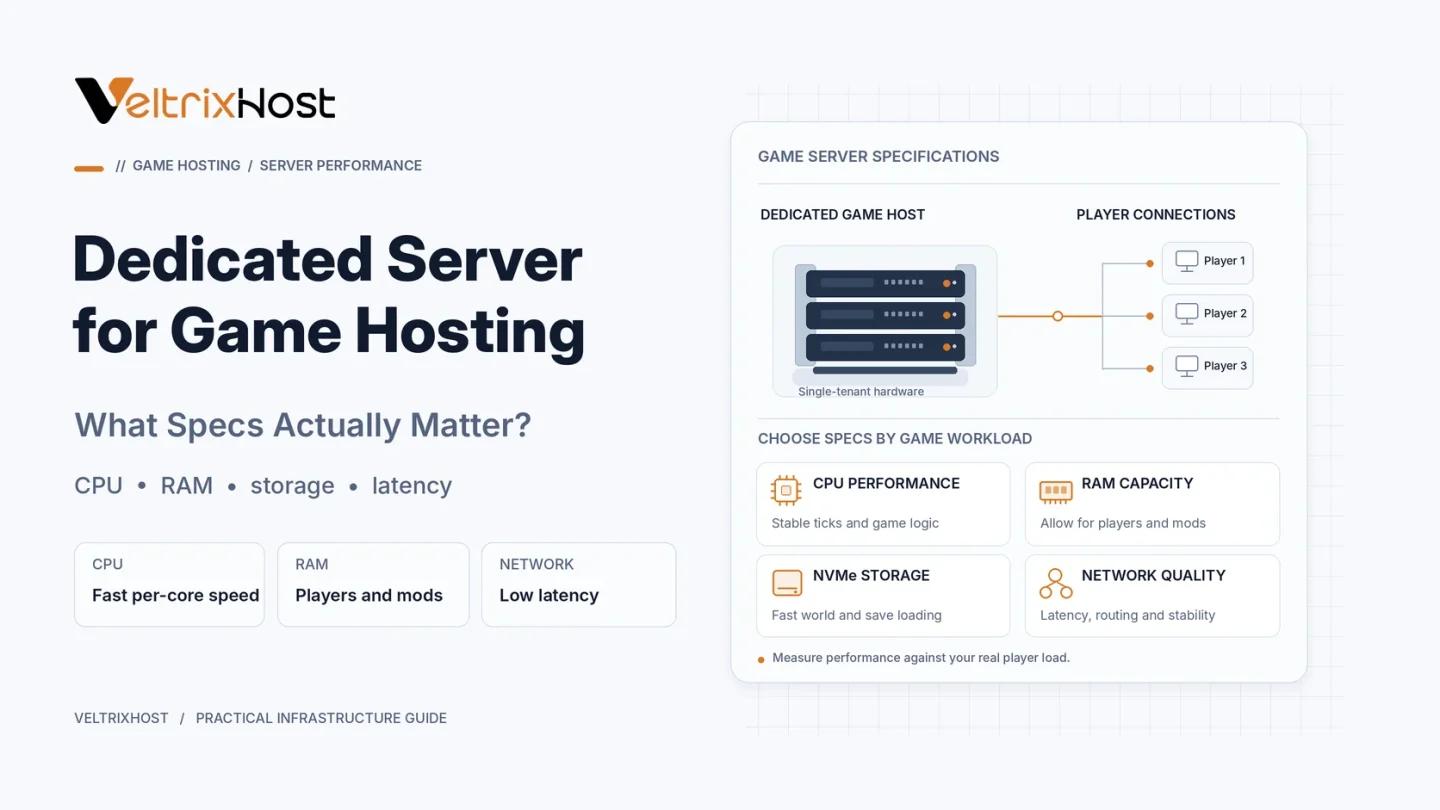
CPU performance is one of the most important considerations for game servers.
Many game engines rely heavily on individual processing threads. Therefore, strong single-core performance can matter more than simply having more cores.
However, additional cores help when running multiple game instances, plugins, databases, or background services.
Compare processor generation, per-core performance, sustained frequency, and available cores rather than GHz alone.
2. How Much RAM Does a Game Server Need?
RAM requirements vary significantly between games.
A small vanilla game server may need relatively little memory, while heavily modded worlds and larger communities require more.
As a starting point:
| Server workload | Suggested RAM |
|---|---|
| Small vanilla server | 4–8GB |
| Moderate player community | 8–16GB |
| Modded or larger server | 16–32GB |
| Multiple demanding instances | 32GB+ |
These are general planning ranges, not official requirements for every game.
For example, the official Minecraft Bedrock Dedicated Server requirements specify 4GB RAM as a baseline.
3. SSD vs NVMe Storage
Game servers frequently load world data, save player progress, and access configuration files.
NVMe storage can reduce delays during intensive disk operations compared with older SATA drives.
However, faster storage cannot solve CPU bottlenecks or poorly optimized plugins.
Choose sufficient storage capacity and prioritize reliable backups alongside speed.
4. Network Latency and Server Location
For multiplayer gaming, low latency is often more important than an extremely high network port speed.
Choose a data center near your primary player community. Also evaluate routing quality, packet loss, and jitter.
A 1Gbps connection may provide plenty of capacity for many communities. Higher bandwidth becomes useful when hosting numerous instances, large downloads, or heavy concurrent traffic.
5. DDoS Protection and Network Reliability
Public game servers can become targets for disruptive network attacks.
Before purchasing, confirm whether game-compatible DDoS mitigation is included, what traffic it protects, and how attacks are handled.
Also check network uptime commitments, support availability, and any traffic restrictions.
Do not assume that every dedicated server includes DDoS protection.
6. Dedicated Server Specifications Compared
| Specification | Why It Matters |
|---|---|
| CPU performance | Game ticks and simulation |
| CPU cores | Parallel tasks and instances |
| RAM | Players, mods, and world data |
| NVMe storage | Faster disk operations |
| Server location | Lower player latency |
| DDoS mitigation | Attack resilience |
| Backups | World and player-data recovery |
Which Dedicated Server Should You Choose?
Start with the game developer’s recommended requirements, then account for player activity, modifications, and future growth.
Monitor CPU utilization, memory consumption, tick rate, disk activity, and network quality during busy periods.
You can compare hardware, locations, and storage options through VeltrixHost Gaming Dedicated Servers.
Final Recommendation
The best game hosting server balances strong per-core CPU performance, sufficient RAM, fast storage, and reliable networking.
Avoid paying for excessive cores or bandwidth when your real bottleneck is processing speed or latency.
Choose hardware based on measurable workload demands.
FAQs
Is a dedicated server better than a VPS for gaming?
It can offer more predictable physical resources and greater control, particularly for demanding or multiple game instances.
Is 16GB RAM enough for game hosting?
It can be sufficient for many moderate workloads, but demanding games, mods, and larger communities may require more.
Does NVMe improve game server performance?
It can improve loading and saving operations, but game simulation performance often depends more heavily on CPU resources.