Choosing the right VPS RAM is essential for keeping your website, application, or database running smoothly. Too little memory can cause slow responses, application crashes, and unexpected downtime. Too much can increase hosting costs without delivering noticeable improvements.
So, how much RAM do you need for a VPS? The answer depends on your operating system, software, website traffic, and workload.
Why Does VPS RAM Matter?
RAM is the temporary memory your virtual private server uses to run processes, handle requests, and cache frequently accessed data.
Your operating system, web server, database, and applications all consume memory. When available RAM becomes insufficient, the server may rely heavily on swap storage or terminate processes.
More RAM can improve performance when memory is the bottleneck, but it cannot compensate for an overloaded CPU or slow storage.
VPS RAM Requirements by Workload
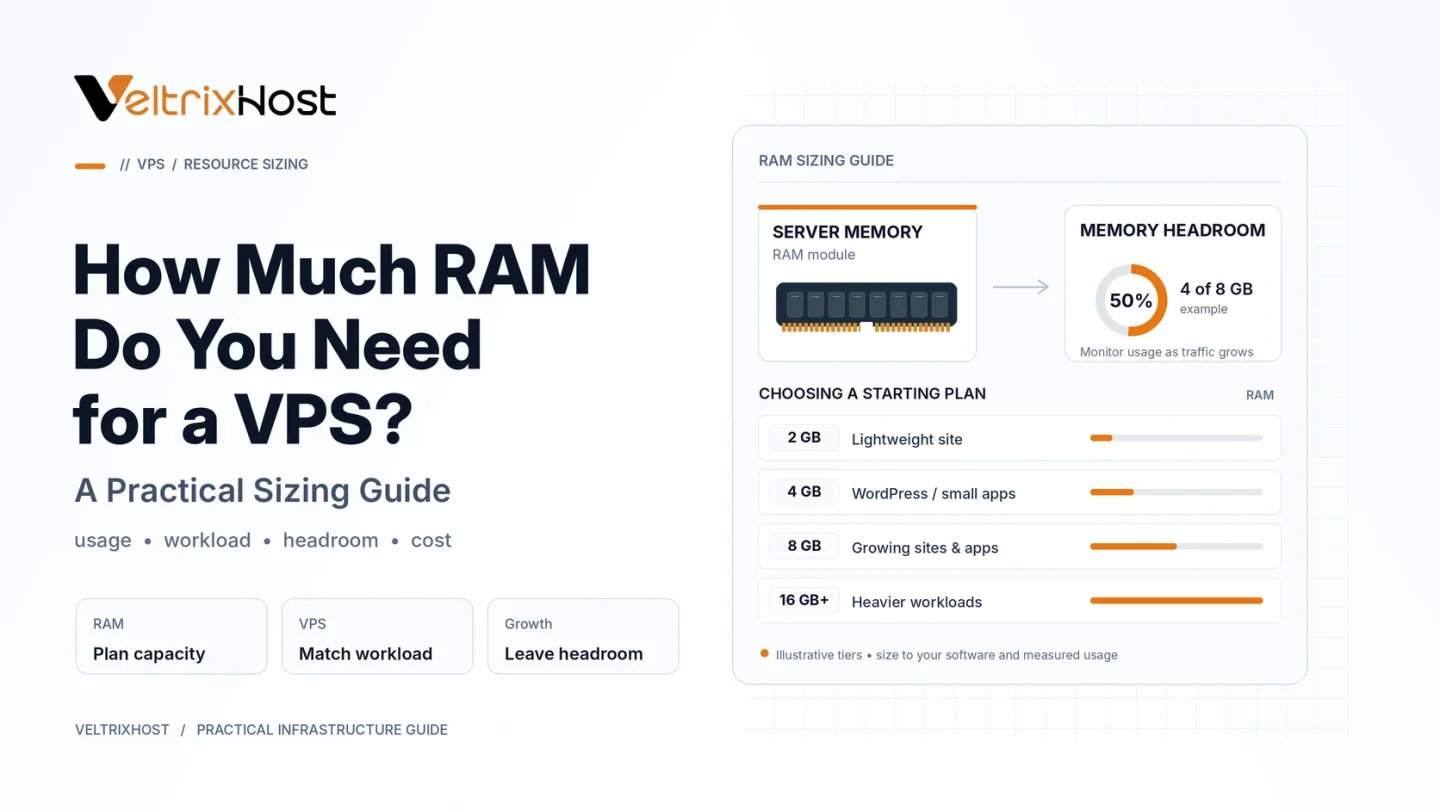
The following figures are practical starting points for typical Linux VPS deployments, not guaranteed requirements.
| VPS RAM | Suitable Workloads |
|---|---|
| 1GB | Small applications, lightweight services, testing |
| 2GB | Small WordPress websites, basic web servers |
| 4GB | Growing websites, moderate databases, several applications |
| 8GB | Busy ecommerce stores, multiple websites, heavier applications |
| 16GB+ | Large databases, demanding applications, substantial concurrent workloads |
Actual requirements depend on software configuration, caching, traffic, and background processes.
Is 2GB RAM Enough for a VPS?
A 2GB VPS can be sufficient for a small WordPress website, lightweight business application, or basic Linux server.
However, running a control panel, database, several PHP workers, and multiple websites simultaneously can exhaust available memory.
For growing projects, starting with 4GB may provide more flexibility.
When Should You Choose 4GB or 8GB?
A 4GB VPS is a reasonable starting point for moderately busy websites, small ecommerce projects, and applications running several services.
Consider 8GB or more when hosting multiple active websites, processing substantial database requests, or operating resource-intensive software.
Database configuration matters too. The official MySQL documentation explains how InnoDB memory allocation changes with available system RAM.
How to Check Your VPS Memory Usage
On Linux, run free -h to inspect available memory and swap usage.
You can also use top or htop to identify memory-intensive processes.
Monitor utilization during peak traffic, not just when the server is idle. Repeated swapping, out-of-memory errors, and application failures suggest your server may need optimization or additional RAM.
Final Recommendation
For lightweight Linux workloads, 1–2GB can be enough. For growing websites, 4GB is a practical starting point. Heavier applications may benefit from 8GB or more.
Before upgrading, evaluate CPU usage, database configuration, caching, and actual memory consumption.
Compare available specifications through VeltrixHost Linux VPS hosting and choose a plan that supports your current workload with room for growth.
FAQs
Is 1GB RAM enough for a VPS?
Yes, for lightweight applications or testing environments. Full website stacks and control panels may require more memory.
How much RAM does a WordPress VPS need?
A small optimized installation may run on 2GB, while busier websites with plugins or WooCommerce often benefit from 4GB or more.
Does more RAM make a VPS faster?
Only when memory availability limits performance. CPU, storage, software optimization, and caching also matter.
Can I upgrade VPS RAM later?
Many providers offer upgrades, but availability, downtime, and migration requirements depend on the hosting plan.