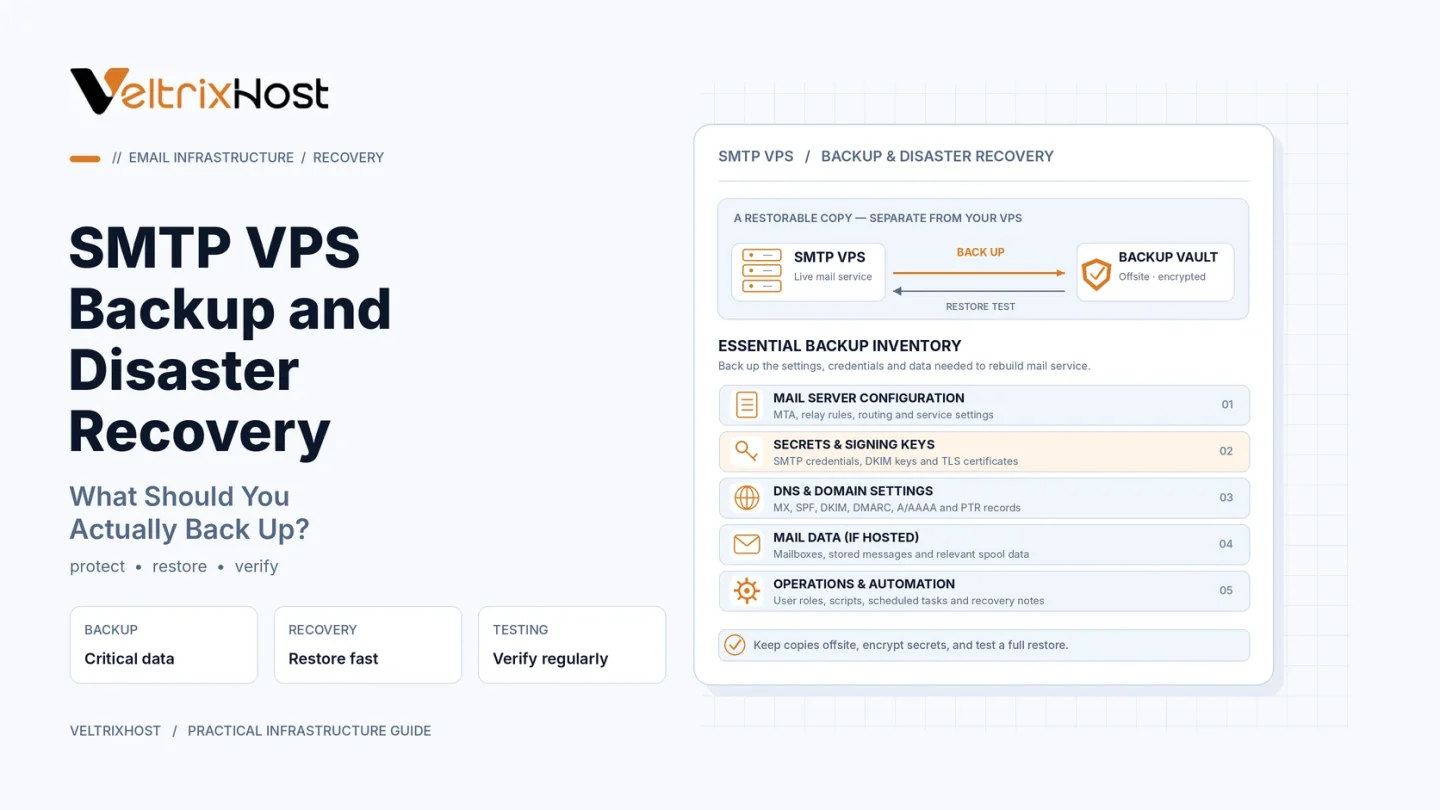
An SMTP VPS backup must protect more than email messages. If a server fails, you may need configuration files, signing keys, account databases, and delivery settings to restore service without losing important mail.
Here is what to save and how to test recovery.
1. Back Up Mail Server Configuration
Save your Postfix or Exim configuration, including relay restrictions, transport maps, TLS settings, and any custom scripts.
For Postfix, review files under /etc/postfix/. If you run Dovecot, include its configuration and authentication settings too.
Keep a record of your operating-system version and installed software. These details help rebuild a compatible environment.
2. Protect Mailboxes and Account Databases
A sending-only SMTP relay may not store user inboxes. However, a complete mail platform does.
Back up mailbox folders, user accounts, aliases, permissions, and relevant databases together. A copy of message files alone may not restore mailbox access or folder structure.
Use your mail platform’s supported, consistent backup method instead of copying active databases blindly.
3. Save DKIM Keys, Certificates, and Secrets
Keep encrypted copies of DKIM private keys, TLS certificate material, service credentials, and application configuration secrets.
Some mail platforms also encrypt stored messages. For example, Mailcow needs its encryption-key data to restore readable mail.
Consult the official Mailcow backup documentation for its supported backup components and script.
Restrict access to backups because they contain sensitive information.
4. Record DNS and Network Settings
Export DNS records for MX, SPF, DKIM, and DMARC, plus hostname and firewall settings.
Document your sending IP, PTR/rDNS, and application SMTP connection details. DNS hosted elsewhere must be recovered through its own provider.
Remember that restoring files does not restore an old IP assignment or its sender reputation.
5. Handle Mail Queues Carefully
Queued messages may include important invoices or password resets awaiting delivery.
Before planned maintenance, drain queues or coordinate a controlled shutdown. During an incident, examine surviving queues and delivery logs before retrying messages.
Restoring old queue files blindly may create duplicates or corrupt state. Follow your mail software’s recovery procedure.
6. Use Off-Site Backups and Test Restores
Store encrypted backup copies outside the VPS. Apply retention policies and keep at least one protected recovery point.
Decide your recovery point objective (RPO): how much recent data you can afford to lose. Also define your recovery time objective (RTO): how quickly service must return.
Restore to an isolated test server. Verify accounts, message readability, authenticated submission, incoming delivery, and DNS settings without sending duplicate production mail.
SMTP VPS Backup: Choosing a Hosting Plan
VeltrixHost SMTP VPS Hosting provides root access, dedicated IPv4, Port 25 connectivity, and PTR/rDNS controls for self-managed mail infrastructure.
Confirm backup storage and recovery responsibilities before deployment.
Final Recommendation
A reliable SMTP VPS backup combines configuration, mail data, cryptographic keys, and documented recovery steps. Test restoration regularly; a successful backup job alone does not prove recoverability.
FAQs
Are VPS snapshots enough for mail-server backups?
No. Snapshots help with rollback, but independent, application-consistent backups are safer.
Should I back up an SMTP queue?
Preserve queue state when supported, but avoid restoring stale messages without checking delivery status.
Can a backup restore my email IP reputation?
No. IP assignments and receiver reputation systems are external to the server backup.