Effective email queue management is essential for reliable SMTP delivery. When messages remain stuck on a mail server, customers may experience delayed notifications, missing password resets, or unsuccessful email campaigns.
However, a growing queue does not always indicate a broken server. Understanding why messages get delayed helps you identify problems before they affect deliverability.
What Is an Email Queue?
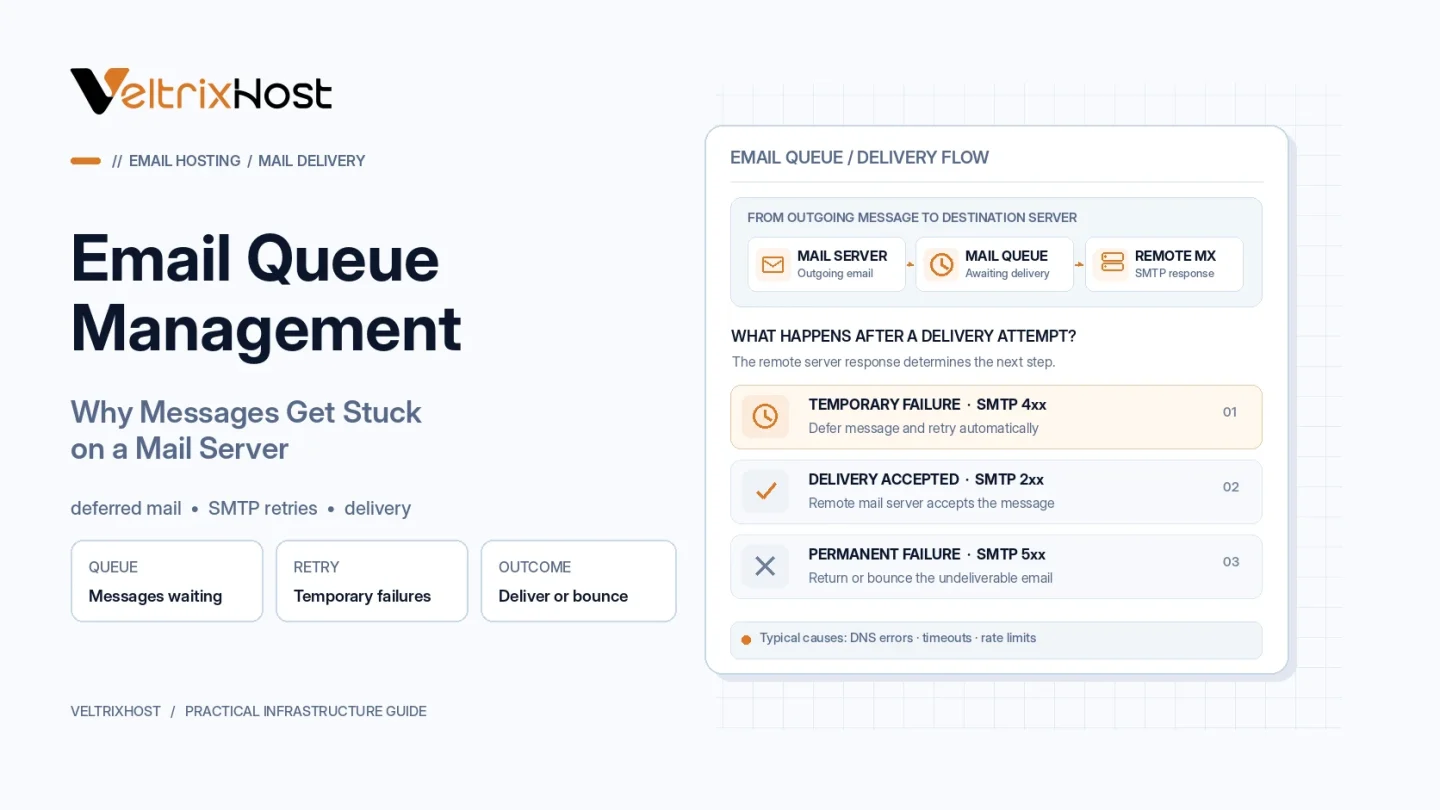
An email queue temporarily stores messages awaiting delivery.
Mail transfer agents (MTAs), including Postfix and Exim, use queues to manage outgoing messages, failed delivery attempts, and scheduled retries.
If a receiving server becomes unavailable, your MTA may keep the message and attempt delivery again later.
Therefore, temporary queuing is a normal part of SMTP operation.
Why Do Emails Get Stuck in a Queue?
Several issues can prevent messages from leaving your server.
1. SMTP Connection Problems
Blocked outbound Port 25, firewall restrictions, network failures, or unavailable recipient servers can interrupt delivery.
Check connectivity before changing mail-server settings.
2. DNS Configuration Errors
Incorrect MX records, DNS resolution failures, or missing reverse DNS can cause delivery problems.
Verify your sending hostname, recipient-domain DNS records, and PTR/rDNS configuration.
3. Temporary SMTP Rejections
Receiving providers may return temporary 4xx responses because of rate limits, reputation concerns, or service interruptions.
Your server normally retries these messages according to its configuration.
Permanent 5xx failures generally require different corrective action.
4. Server Resource Limitations
Insufficient RAM, slow storage, full disks, or overloaded CPU resources can delay queue processing.
Large queues may also increase disk activity and reduce overall mail-server responsiveness.
5. Authentication and Reputation Problems
Incorrect SPF, DKIM, or DMARC configuration may contribute to receiving-provider rejections.
Poor IP reputation, spam complaints, and sudden sending-volume increases can also trigger restrictions.
Email Queue Statuses Explained
| Queue status | Meaning |
|---|---|
| Active | Message is eligible for delivery |
| Deferred | Temporary failure; retry scheduled |
| Held | Delivery intentionally paused |
| Frozen | Exim delivery attempts suspended |
| Delivered | Message accepted by the next server |
Exact status terminology varies between mail-server applications.
How to Check Your Mail Queue
For Postfix, run:
postqueue -p
For Exim, use:
exim -bp
These commands display queued messages and help identify delivery problems.
Next, inspect your mail logs to find SMTP response codes and failure explanations.
The official Postfix queue management documentation explains available inspection and retry commands.
How to Fix Stuck Email Messages
Start by identifying the original failure.
Check DNS resolution, outbound SMTP connectivity, authentication, server resources, and recipient-provider responses.
Correct the underlying problem before retrying deferred messages.
Avoid repeatedly forcing the entire queue to retry. Aggressive retries can increase congestion and worsen temporary rate limits.
Also, never delete queued messages without confirming they are unnecessary.
Choosing an SMTP VPS for Reliable Delivery
Reliable queue processing requires sufficient CPU, RAM, storage, and network connectivity.
VeltrixHost SMTP VPS Hosting provides Port 25 access, dedicated IPv4 addressing, root access, and PTR/rDNS management for self-managed mail servers.
Final Recommendation
Effective email queue management requires monitoring, accurate troubleshooting, and controlled delivery retries.
Inspect queue growth regularly, address SMTP errors, and maintain responsible sending practices.
A healthy mail queue should process messages consistently without accumulating unnecessary delays.
FAQs
Why are emails stuck in my Postfix queue?
Common causes include DNS failures, blocked SMTP connections, temporary rejections, and resource limitations.
Does a queued email mean delivery failed?
Not necessarily. Some messages are waiting for another delivery attempt.
Should I clear my entire email queue?
Usually not. Investigate the cause first to avoid losing legitimate messages.