Understanding VPS backup vs snapshot helps you protect websites, databases, and applications before something goes wrong. Both create recovery points, but they can differ in storage location, retention, recovery options, and protection against infrastructure failures.
Choosing the right approach depends on what you need to restore and how much data loss your business can tolerate.
What Is a VPS Backup?
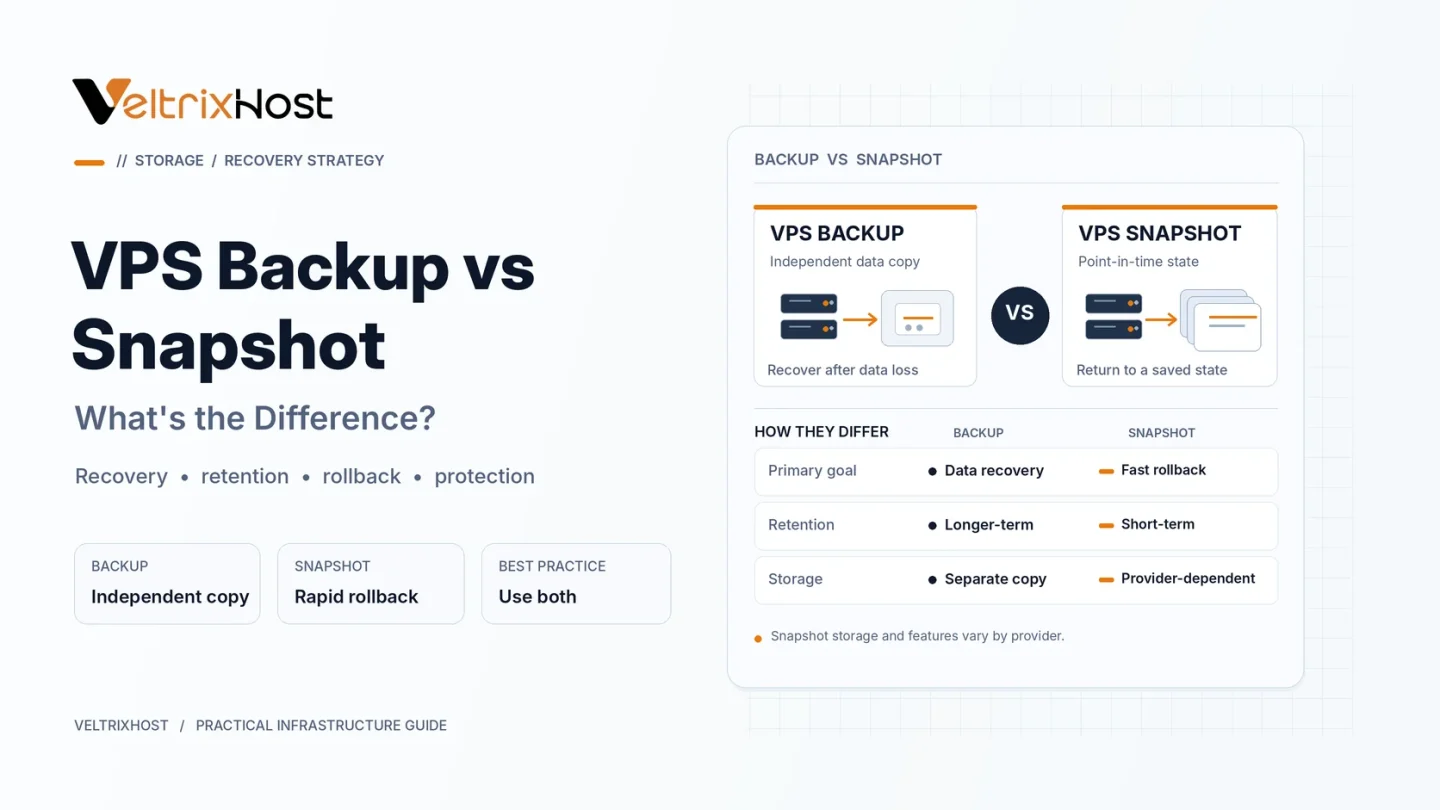
A VPS backup is a recoverable copy of server data. Depending on the tool, it may include files, databases, configurations, or an entire virtual machine.
Backups can run automatically and be stored away from the VPS. Independent, offsite copies help when the original server, storage system, or hosting account becomes unavailable.
A good backup plan also defines retention periods, encryption, and regular restoration tests.
What Is a VPS Snapshot?
A VPS snapshot captures a virtual disk or machine at a specific moment. It is useful before software updates, configuration changes, or risky deployments.
Many storage platforms create incremental snapshots, recording changed data blocks rather than duplicating everything each time.
However, snapshot behavior varies by platform. Some snapshots depend on the original storage environment, while others are durable, independent recovery points. For example, Amazon EBS snapshots can restore volumes even after the original volume is deleted.
VPS Backup vs Snapshot: Key Differences
| Feature | VPS Backup | VPS Snapshot |
|---|---|---|
| Main purpose | Long-term data protection | Point-in-time recovery |
| Storage location | Often separate or offsite | Depends on platform |
| Recovery scope | Files, databases, or full VPS | Usually disk or VM state |
| Retention | Scheduled policy | Often shorter-lived |
| Best use | Disaster recovery | Before major changes |
Neither label guarantees safety. Always check where recovery data lives and whether it survives server deletion or provider failure.
Are Snapshots Enough to Protect a VPS?
Not always. A snapshot taken while a database is writing may be crash-consistent rather than application-consistent. Restoring it can require database recovery or expose incomplete transactions.
For important databases, use supported database backups or application-aware snapshots.
The Amazon EBS snapshot documentation explains how platform snapshots work and why scheduling matters.
When Should You Use Both?
Use snapshots immediately before upgrades or configuration changes so you can roll back quickly.
Keep scheduled, encrypted backups in independent storage for hardware failures, accidental deletions, ransomware, and longer-term recovery. Follow the 3-2-1 principle where practical: three copies, two storage types, and one offsite copy.
Before deploying a server, review your provider’s backup policy. VeltrixHost Linux VPS hosting offers self-managed servers, so customers should plan and verify their own backup arrangements.
Final Recommendation
For most production VPS environments, combine short-term snapshots with automated offsite backups. Test both recovery methods and set backup frequency according to acceptable data loss.
A recovery point is valuable only when you can restore it successfully.
FAQs
Can a VPS snapshot replace a backup?
Sometimes a snapshot is itself a backup, but it should not be your only protection unless its storage independence, retention, and restore capabilities meet your requirements.
Are VPS snapshots faster to restore?
Often, especially for full-server rollback, but actual recovery time depends on the platform and data size.
How often should I back up my VPS?
Choose a schedule based on changes and recovery needs. Busy databases may require frequent backups or transaction-log protection.
Do VPS providers include automatic backups?
Not always. Check the plan and backup policy before ordering.