Fail2ban for mail servers helps block repeated login attempts against Postfix SMTP submission and Dovecot IMAP services. Attackers routinely try stolen passwords and automated guesses, putting customer accounts and sending reputation at risk.
Fail2ban adds protection, but it cannot replace strong passwords, TLS, and secure relay settings.
How Does Fail2ban for Mail Servers Work?
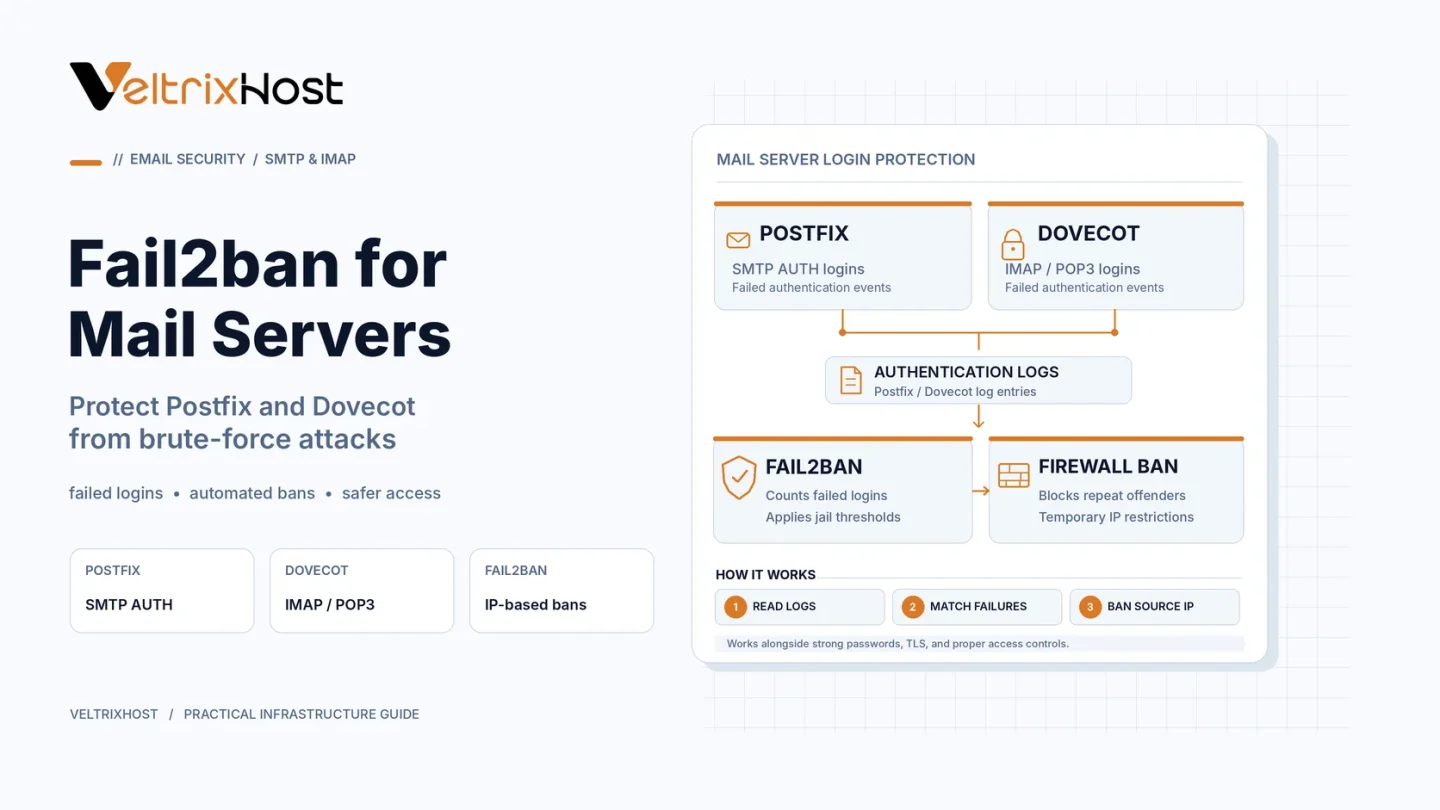
Fail2ban reads authentication failure logs and applies temporary firewall bans when an IP address exceeds a configured threshold.
For a Linux mail server, the relevant jails include:
- postfix-sasl: Detects repeated SMTP authentication failures.
- dovecot: Watches failed IMAP, POP3, and supported Dovecot authentication attempts.
- postfix: Can address certain rejected or abusive SMTP clients, but needs careful tuning.
These jails target different behaviors. Enable only those supported by your configuration.
1. Install Fail2ban on Your VPS
On Ubuntu or Debian, run:
sudo apt update && sudo apt install fail2ban
Confirm that Postfix and Dovecot produce usable authentication logs. Depending on your distribution, logs may appear in the systemd journal or /var/log/mail.log.
2. Enable Postfix and Dovecot Jails
Create /etc/fail2ban/jail.d/mail.local with these example settings if your mail logs are available in the systemd journal:
[DEFAULT]
bantime = 1h
findtime = 10m
maxretry = 5
[postfix-sasl]
enabled = true backend = systemd
[dovecot]
enabled = true backend = systemd
Five failures within ten minutes can trigger a one-hour ban. Adjust thresholds to your users’ needs and confirm your firewall banning action works.
If your system uses file-based logs, select a suitable monitoring backend and verify the corresponding log paths instead.
The official Fail2ban jail configuration documents available mail-server jails.
3. Restart and Verify Protection
Apply the changes:
sudo systemctl restart fail2ban
Then inspect active jails:
sudo fail2ban-client status
For SMTP authentication, run:
sudo fail2ban-client status postfix-sasl
Also check Dovecot with sudo fail2ban-client status dovecot.
Confirm that failures match the configured filters. An active jail does not prove attacks are being detected.
4. Avoid Blocking Legitimate Customers
Shared office networks can place several users behind one public IP. Aggressive thresholds may block them after a few incorrect passwords.
Review ban logs, use appropriate limits, and exempt only genuinely trusted addresses. Keep emergency console access available before making firewall changes.
5. Add Essential Mail Server Security
Require encrypted client submission, strong credentials, timely patches, and restricted SMTP relaying. Monitor unusual sending volumes and compromised accounts.
On VeltrixHost SMTP VPS Hosting, root access lets administrators configure their own firewalls and protective software.
Final Recommendation
Use Fail2ban for mail servers to reduce repeated password-guessing attempts. Monitor real logs and test bans after updates, especially when changing Postfix or Dovecot versions.
FAQs
Does Fail2ban stop all SMTP attacks?
No. Distributed attempts, stolen valid passwords, and application vulnerabilities require additional defenses.
Can Fail2ban protect IMAP logins?
Yes. The Dovecot jail can block addresses repeatedly failing supported authentication checks.
Will Fail2ban improve email deliverability?
Indirectly, by reducing some account-abuse risks. It does not guarantee inbox placement.